Fully managed beauty PDP recommendations · live in 7 working days · See it on 5 of your PDPs →

For DTC beauty brands and multi-brand retailers

The beauty recommendation layer we run for you.

MatchLayer builds your catalog into a product graph that knows which items genuinely belong together across brands and categories — so the module works on day one, without waiting for purchase history. No rules to build, no merchandising to maintain: we build it, launch it and operate it.

+13.2% AOV — blended lift on the PDP module at Minimalist. Live in 7 working days.

Share your store URL. No feed or integration required for the sample.

No cold start Live in 7 working days Fully managed after launch Flat pricing, no revenue share
Example retailer module
Viewing · Anua · Heartleaf 77% Soothing Toner
Pairs well with
Beauty of Joseon Relief Sun: Rice + Probiotics SPF50+
Morning · Protect
Beauty of Joseon
Relief Sun: Rice + Probiotics SPF50+

Rice extract and niacinamide, no alcohol denat — protection that won't sting the skin you're calming.

Illiyoon Ceramide Ato Concentrate Cream
Night · Seal
Illiyoon
Ceramide Ato Concentrate Cream

The toner is humectants with no lipid. Ceramides are what hold that water in overnight.

Beauty teams we've worked with

Aminu
Soft Services
Stratia
Minimalist
Nudie Glow
Bodywise
8K+ SKUs enriched across current clients 3.2M recommendations served monthly for current clients

PDP module outcomes

Measured on the surface shoppers actually use.

AOV and attach rate are the primary commercial outcomes for the recommendation module. Product graph outcomes are shown separately below.

PDP module · AOV
+13.2%

Blended lift in average order value

PDP module · Attach rate · 90-day holdout
8.2%

Order-level attach rate, with a 12.3% lift in revenue per eligible session measured against a holdout group

Soft Services was measured control-versus-treatment against a holdout group over 90 days, on a store averaging 45,000 monthly sessions — not pre-post. Full test methodology, including the eligible-session definition and holdout split, is shared during evaluation.

The module

Two high-confidence next steps. Every one explained.

One consistent interaction pattern, adapted to each category’s decision logic and styled to your storefront.

Two high-confidence picks by design — not another endless recommendation carousel.

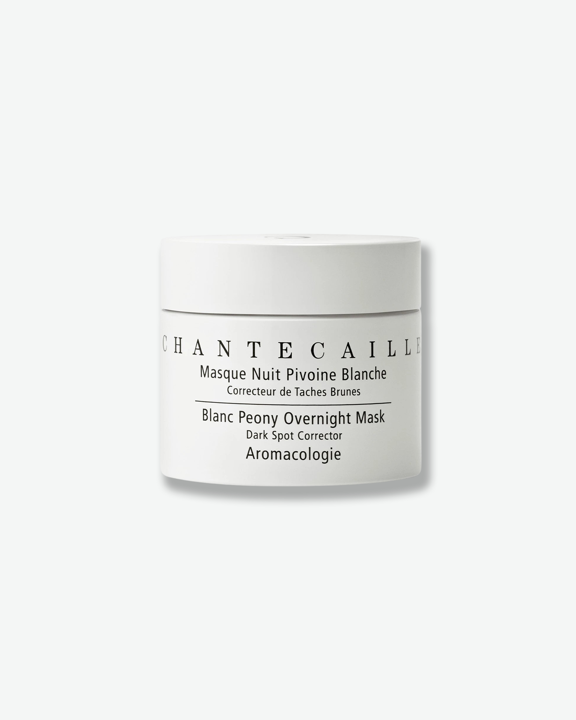
Viewing · Chantecaille · Blanc Peony Face Cream, Dark Spot Corrector
Pairs well with
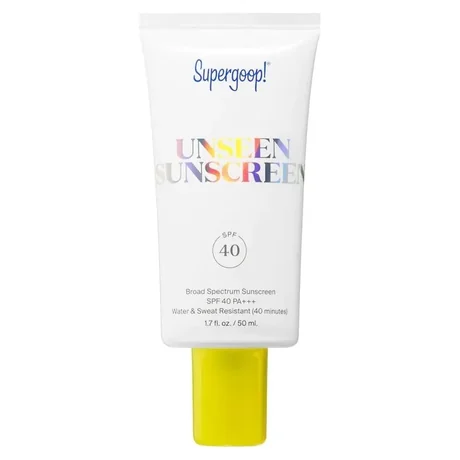
Supergoop! Unseen Sunscreen SPF 40
Morning · Protect
Supergoop!
Unseen Sunscreen SPF 40

Invisible and non-pilling over a treatment cream — daily UV is what undoes the brightening you're paying for.

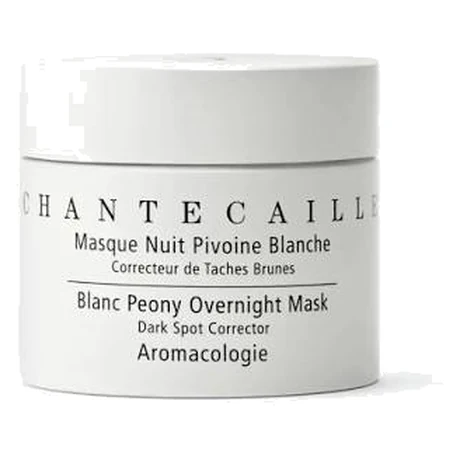
Chantecaille Blanc Peony Overnight Mask Dark Spot Corrector
Night · Treat
Chantecaille
Blanc Peony Overnight Mask Dark Spot Corrector

The same peony complex, worked in overnight while the cream's barrier support holds.

Every pick carries a shopper-facing reason. MatchLayer writes and maintains it — your merchandisers don't.

How every recommendation is chosen

Compatibility protects quality. Behaviour improves ranking.

The module does not wait for purchase history before it can work. Product intelligence creates a safe eligible set immediately; store-level signals sharpen the commercial order over time.

01 · Eligibility

Product compatibility

Formula, ingredients, routine step, category, finish, shade and use-case logic determine which products genuinely belong with the anchor.

02 · Ranking

Store behaviour

Where sufficient signals exist, product-level buying patterns help rank the strongest compatible options. Behaviour never overrides compatibility.

03 · Guardrails

Commerce rules

Brand adjacency, duplicate products and conflicting actives are resolved when relationships are built. Inventory and commercially blocked SKUs are checked at serve time against webhook-synced stock, so a sold-out product never renders.

04 · Conversion

Shopper reasoning

Every recommendation receives a concise explanation of why it belongs, so the module helps the shopper decide rather than showing another thumbnail grid.

Compatibility creates the eligible set + Behaviour improves the order = A recommendation your team can defend

Control and measurement

We run the system. You can see everything it does.

MatchLayer manages catalog enrichment, relationship logic, exclusions, new-product ingestion and ongoing QA. You also get a dashboard covering the whole catalog—search any SKU, read its ranked pairs and the reasoning behind them, flag or remove anything. Nothing obliges you to open it: the module runs whether you review one product or none.

Verify as much or as little as you want

Relationships are generated across the entire catalog before launch, so there is nothing to wait for and nothing to build. Review is available, never required.

Search any SKU and read its ranked pairsAny time
See the reasoning behind every pairingAny time
Flag or remove a pairing yourselfAny time
Share brand and commercial restrictionsStorewide
Approve automatic exclusionsInitial setup
Approve the reasoning styleBefore launch
Choose an optional approval workflowBy exception

What we monitor with you

We monitor the module against eligible PDP traffic, surface what changed and review commercial performance with your team.

Module coverage and empty-slot rateQuality
Recommendation click-through rateEngagement
Order attach rateConversion
AOV and revenue per eligible sessionCommercial
Control-versus-treatment reportingIncrementality

The product graph

The product data the module needs—built for you.

One real SKU, as it sits in the product graph. Automated resolution and consistency checks structure the catalog; flagged or low-confidence fields are routed for expert review before they can serve.

One SKU, in the product graph100+ attributes · 6 knowledge sections · 34 Q&As
Taxonomy — three levels deep
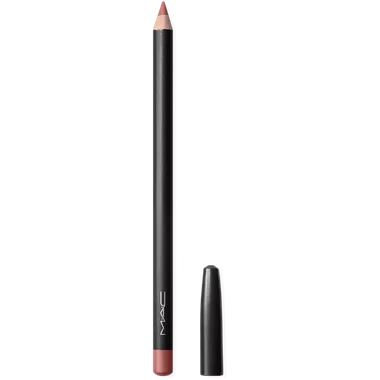
MakeupLipLipstickBullet formatMulti-use — lip + cheek
Shade intelligence
Peachy-beige nudeWarm undertonePale depth85% opacity, one swipe‘No-makeup makeup’

A soft pale peachy-beige nude with subtle warm undertones, reminiscent of bare lips with a whisper of peach.

Finish & formula
Sleek satinLuminous, high shineCreamy, moisturising8-hour hydrationVanilla scentNot long-wearHigh transfer
Pomegranate flower extractCamellia seed oilRosehip oil
Performance across skin depths
Lighter depths · soft peach-beige nudeMedium depths · may read lighter; liner adds definitionDeeper depths · may contrast more strongly

Suitability is described by likely visual effect, so the module can explain when a liner or prep step improves the result.

Derived pairing logic
→ Liner one shade deeper→ Lip prep / prime→ Blotting for transfer✕ No gloss — satin finish already shines
100+Structured attributes
extracted per SKU
34Question-and-answer pairs
per SKU
60,000Beauty SKUs behind
the taxonomy
FlaggedLow-confidence fields routed for expert review

The same product graph can later support search, filtering, PLPs and lifecycle journeys—without rebuilding the product logic.

Product graph outcome

Bodywise used the product graph beyond the PDP module.

This implementation used the MatchLayer product graph to improve product discovery and segmented lifecycle communication. It is shown separately because it was not a PDP-module result.

−28.8%Reduction in zero-result searches after the graph was built.
+18.8%Lift in conversion from enriched, segmented CRM campaigns.

Where this came from

Built by operators who had to solve this at retail scale.

MatchLayer began inside Kult, a multi-brand beauty retailer carrying 200+ brands, where many SKUs arrived as little more than a brand name, product name and shade.

The product graph was built to structure that catalog, map compatible next steps and support clearer product decisions across a database of 60,000 beauty SKUs. The taxonomy was developed with dermatologists and cosmetic chemists; 11,000 colour-cosmetics SKUs ran live in the module.

60,000SKUs — the taxonomy
the engine is built on
11,000SKUs ran live in
the module at Kult
42% → 53%Sessions reaching
product pages
19% → 26%PDP to cart
after enrichment

These figures are internal reporting from that launch period, not a controlled A/B test. The client results at the top of this page are.

Speed & partnership

Live in seven working days—without an engineering sprint.

Connect Shopify through the MatchLayer custom app or send the catalog as it already exists. We build ingestion around your structure, enrich and map the products, then enable one app-embed block on your PDP template, with QA and a rollback plan.

7working days to launch
Day 0
Catalog connected

Connect Shopify or send a CSV or product feed. No replatforming or catalog migration.

Day 1–2
Ingestion and normalization

We map your existing catalog structure onto the beauty taxonomy and resolve variants.

Day 2–4
Enrichment and verification

Attributes are generated and cross-checked; flagged or low-confidence fields are reviewed.

Day 4–5
Relationships and exclusions

Compatible products are mapped, with inventory, conflicts and brand-adjacency rules applied.

Day 5–6
Your approval pass

The dashboard opens with the full catalog already mapped, so you can spot-check any SKU before launch. Approve the placement, reasoning style and any standing restrictions. Reviewing individual pairings is optional.

Day 7
Custom app install and QA

The MatchLayer custom app is installed and one app-embed block is enabled on your PDP template after responsive QA, approval and rollback checks. The block can be toggled off from theme settings without editing theme files.

After launch, MatchLayer handles the operating work. Your team joins periodic performance reviews and steps in only when a commercial exception requires approval.

What beauty operators say

Built for commercial teams, not just recommendation slots.

PDP module

Our assortment is complex, so recommending the right complementary products is hard. MatchLayer goes beyond generic “You may also like” — it identifies compatible products, explains why they work together, and helps customers buy with more confidence.

Mohit Yadav

Mohit Yadav
CEO, Minimalist

PDP module

We wanted intelligent recommendations to increase conversion. MatchLayer gave us a scalable way to surface compatible products directly on the PDP — strengthening the customer journey without adding manual merchandising work for our team.

Stephanie DiSturco

Stephanie DiSturco
Chief Revenue Officer, Soft Services

Product graph

The enrichment work created a more structured and intelligent catalog — improving search, filters, merchandising, recommendations, and the quality of information on every product page.

Shouvik Roy

Shouvik Roy
Chief Technology & Product Officer, Mosaic Wellness

Why MatchLayer

Most platforms can fill a slot. The harder problem is ensuring the products belong together.

MatchLayer combines beauty-native compatibility with store-level commercial signals, without handing your merchandising team another rule system to maintain.

Capability
MatchLayer
Co-purchase engine
Manual rules
New-product coverage
Works from day one from catalog compatibility
Waits for sufficient order history
Requires a new rule or manual placement
Beauty compatibility
Built in across formula, routine, finish, shade and use case
Requires custom attributes and added logic
Possible, but labour-intensive to maintain
Variants and long tail
Variants understood as related; full-catalog coverage
Signals split across variants and concentrate on bestsellers
Coverage depends on available merchandiser time
Shopper explanation
Reason included with every recommendation
Usually a product grid without reasoning
Reasoning must be written and maintained
Ongoing ownership
Enrichment, QA, exclusions and tuning managed for you, with the whole catalog visible in a dashboard
Low maintenance, but generic without added setup
High ongoing merchandising workload

Data and storefront safety

Designed to stay quiet, controlled and separate.

Your catalog stays yours

Each client receives an isolated product graph. Product attributes, relationships and store signals are not used to improve a competitor’s recommendations.

Nothing is written while a shopper waits

Attributes, relationships and shopper-facing reasoning are generated and reviewed ahead of time, then stored. No language model runs on the PDP. At request time the module does one thing: filter that stored set against inventory and your commercial rules. Stock reaches the graph by webhook, so that filter is a local lookup: no external API call happens in the render path.

Brand safety by exclusion

Conflicting actives, redundant steps, duplicate variants, out-of-stock products and commercially blocked SKUs can be removed before they reach the shopper.

Customer profiles are not required

The behavioural layer can work from SKU-level and aggregated store patterns. Individual shopper quizzes or customer profiles are not required for the module to operate.

Pricing

Flat monthly pricing. No revenue share.

MatchLayer includes the PDP recommendation module, shopper-facing reasoning, ongoing catalog ingestion, managed QA and performance reporting. Every plan is fully managed—no rule-building or ongoing recommendation merchandising required.

Setup waived for our next 10 launches

We are capping onboarding through September 30, 2026 so each catalog gets the same enrichment review. Until then, catalog enrichment — normally a one-time $900 up to 500 active SKUs, or $2,500 for 501–2,000 — is included. Attribute extraction, taxonomy mapping, variant resolution and expert review of flagged fields.

Normally $900–$2,500

Core

For complex DTC catalogs

$599 / month
Up to 500 active SKUs · One storefront

90-day initial rollout — the window needed to measure lift against control. Month to month after, cancel with 30 days' notice.

  • PDP recommendation module
  • Initial catalog enrichment
  • Cross-brand and cross-category mapping
  • Shopper-facing reasoning
  • Fully managed catalog and new-SKU operations
  • Performance monitoring and reporting
Get your free sample

Custom

For enterprise catalog complexity

Scoped with you
More than 2,000 active SKUs, multiple storefronts or custom feeds

Term, scope and SLA agreed during evaluation. No per-click, per-order or revenue-share fees at any tier.

  • Multi-storefront managed operations
  • Custom ingestion and refresh requirements
  • Additional approval workflows
  • Custom performance reporting or data delivery
  • Security and SLA scoping
  • Dedicated catalog operating plan
Discuss your catalog

Flat pricing replaces two ongoing costs: a revenue-share recommendation engine, which scales with your GMV rather than with the work involved, and the merchandiser time it takes to build and maintain pairing rules by hand. Catalogs above the listed limits are scoped separately.

Questions

What ecommerce teams usually ask first.

Is MatchLayer right for our catalog?

It is designed for DTC beauty brands and multi-brand retailers where shoppers must choose between multiple products, categories, shades, ingredients, routines or use cases. Very small catalogs with obvious product relationships may not need this depth.

What data or access do you need?

For the free five-PDP sample, a store URL is enough. For implementation, connect Shopify through the MatchLayer custom app or provide a CSV or product feed, then approve one app-embed block on your PDP template.

Is MatchLayer a self-serve recommendation app?

No. MatchLayer is a fully managed recommendation layer. We operate catalog ingestion, enrichment, relationship mapping, exclusions, new-product coverage, QA and ongoing tuning. Your team approves the initial setup, retains override authority and reviews performance with us.

Do you need our purchase history?

No. The module works from catalog intelligence on day one. Store-level signals, where available, only refine the order — they never make an incompatible product eligible.

How do you measure incremental impact?

We define eligible PDP sessions and can configure control-versus-treatment measurement. The primary commercial metrics are recommendation attach rate, AOV and revenue per eligible session, supported by coverage and empty-slot reporting.

Can our team override a recommendation?

Yes, two ways. In the dashboard you can search any SKU, read its ranked pairs and the reasoning behind each one, and flag or remove a pairing directly. Or share standing restrictions with us and we implement and maintain them. Reviewing is optional — most teams spot-check a category before launch and then leave it alone — but the whole catalog is visible whenever you want to look.

How do inventory and new products work?

Out-of-stock or commercially blocked products can be suppressed before serving. New products enter through the ongoing catalog feed, receive compatibility coverage without waiting for order history, and are included after the configured QA or approval step.

Does the module slow the PDP, and how current is stock?

Your catalog is built into a product graph hosted on our side, holding the ranked recommendations and their reasoning for every anchor product. None of that is generated while a shopper waits — no language model runs on the PDP. At request time the module reads the ranked set for that product, drops anything out of stock or commercially blocked, and returns the top picks that remain. Inventory changes are pushed to the graph by webhook, so that check is a local lookup — not a synchronous call to your store while the page renders. Nothing in the render path depends on an external API being up or within its rate limit. Because the stored ranking runs deeper than the two slots shown, a sold-out product is usually replaced rather than leaving an empty slot.

What happens when there is no good match?

The module can show one recommendation or render no slot at all. The stored ranking runs deeper than the slots shown, so a stock-out normally promotes the next compatible product rather than emptying the module. When nothing compatible remains, we would rather decline than pad the slot with a duplicate, an incompatible product or the store bestseller.

Do shoppers need to complete a quiz?

No. The module works for anonymous first-time traffic. It uses the product being viewed, catalog intelligence and store-level patterns rather than requiring an individual profile.

Free catalog-module sample

See MatchLayer on 5 of your PDPs.

Share your store URL. We’ll select five anchor products and show the compatible cross-brand or cross-category recommendations, the shopper-facing reason for each, and one relationship we would deliberately exclude.

  • No product feed needed for the sample
  • No integration or commitment
  • Fully managed if you proceed—no rules to build or maintain
  • Typical sample turnaround: three working days

We use this information only to prepare your evaluation and contact you about MatchLayer. See our privacy policy.